Local SEO KPI Tracker
A monthly sheet that tracks calls and customers, not just rankings.
A report full of rankings can look great while the phone stays quiet. This tracker puts the numbers that pay the bills next to the ones that move first, tags each one as a revenue metric, a leading indicator or a vanity number, and tells you the first thing to check when it drops.
- Format
- Printable PDF
- Length
- 3 pages
- Use it
- Once a month
- Price
- Free
Free download
Get the Local SEO KPI Tracker
Three quick steps, then the PDF is yours to download. We'll email you a copy too.
- Printable 3-page PDF
- Instant download, plus a copy by email
- Plain language, no SEO background needed
- A next step for every weak row
Use it when
What the tracker helps with
Step 3 of 4: measure what matters. Here is when this tracker earns its place on your desk.
Your reports are all rankings and traffic
You see positions and impressions every month but can't tell whether search is bringing in calls and customers.
A number dropped and you don't know why
Every row has an "action if down" step, so you check the likely cause before changing anything else.
You're paying for SEO and want to judge it
Pull the same numbers from the same sources each month and you have your own record, not just someone else's report.
Your tracking has gaps
If you can't find a number, the tracker says to fix the tracking first: Search Console, GA4, call tracking and lead sources in your CRM.
What you get out of it
What you'll walk away with
- One page a month showing calls, forms, direction requests, reviews, rankings, new customers and revenue from search
- Each metric tagged as revenue, leading or vanity, so you know which to act on and which to watch as a trend
- A first step for every metric that drops, before you change your strategy
- A notes log of what changed each month, so a dip can be explained instead of guessed at
- A simple rule for noise versus a real drop: down once, or down two months in a row
Who it's for
- Owners who want to know whether local SEO is producing customers
- Businesses paying an agency or freelancer for SEO
- Marketing managers who report results to an owner
Page by page
What's inside the tracker
3 printable pages. Here is a look at each one.
Page 1
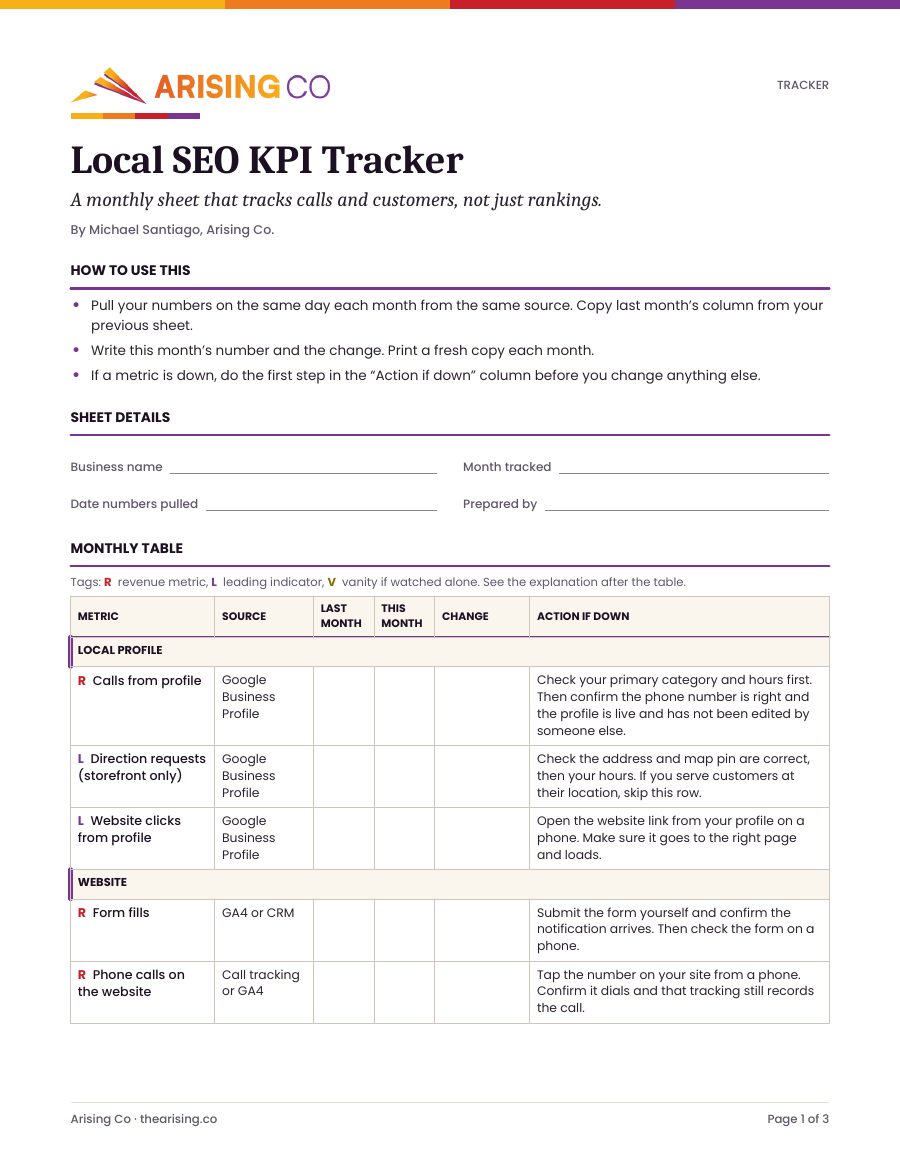
How to use it, sheet details, and the first rows of the monthly table: calls, direction requests and website clicks from your Google Business Profile, then form fills and website phone calls. Each row has a source and an "action if down" step.
Page 2
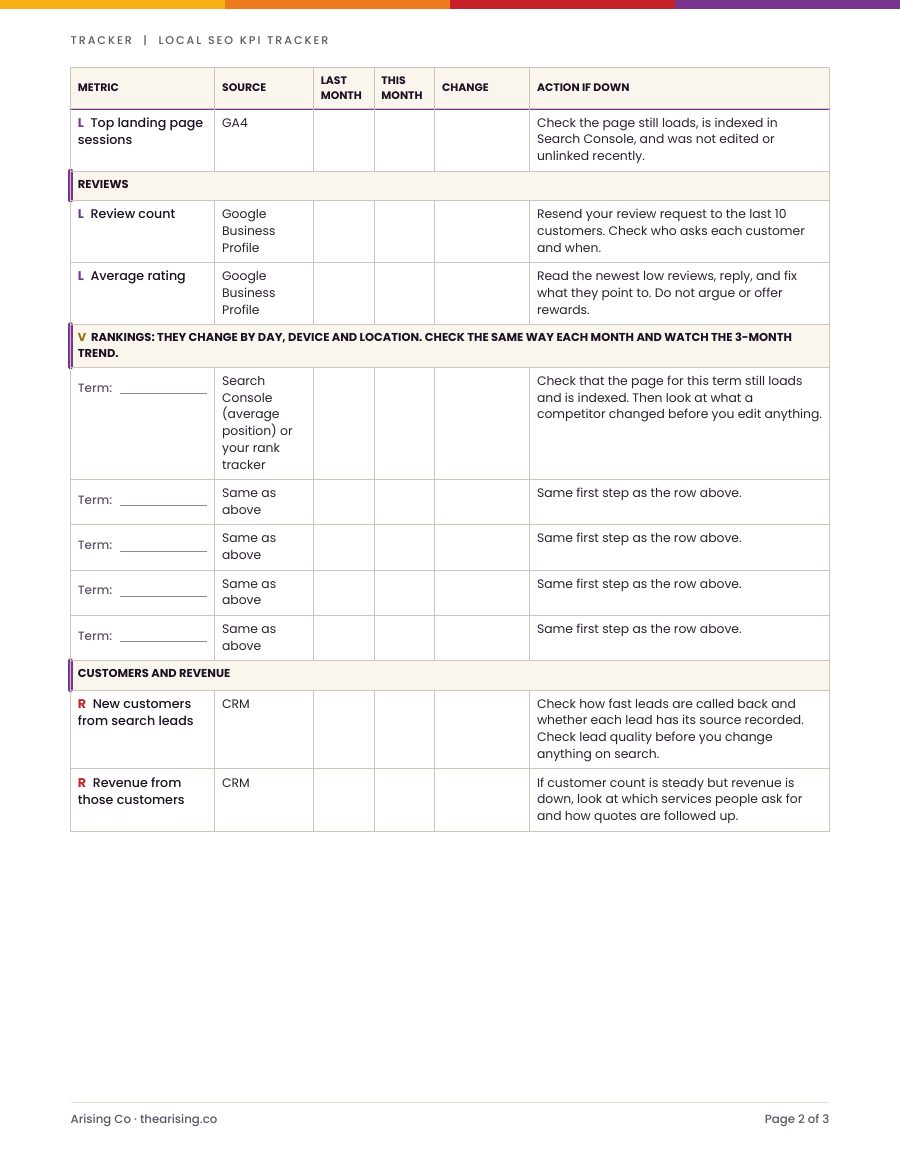
Top landing page sessions, review count and average rating, five ranking terms checked the same way each month, and new customers and revenue from search leads.
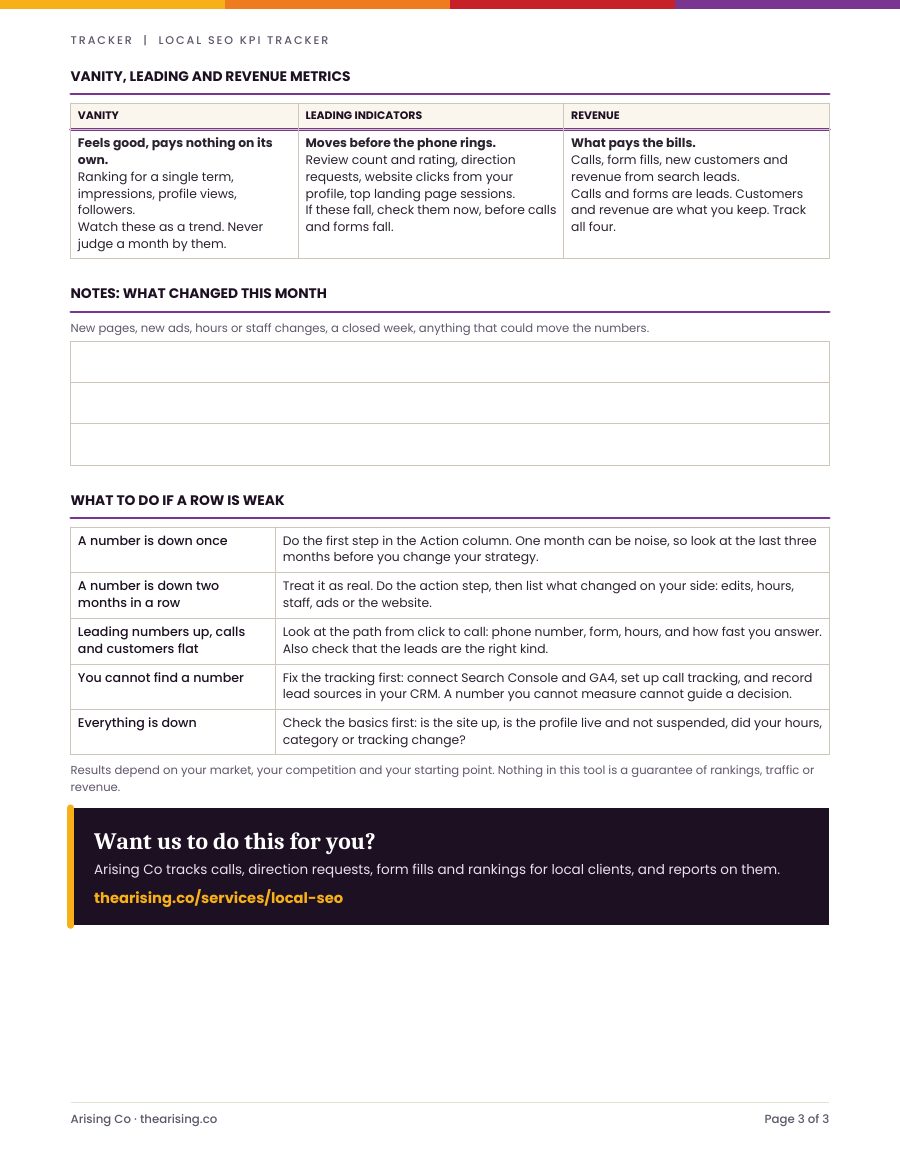
Page 3
Vanity, leading and revenue metrics explained, a notes box for what changed this month, and what to do when a number is down once, down two months running, or when clicks rise but calls stay flat.
How to use it
Three steps, straight from the tracker
- 01
Pull your numbers on the same day each month from the same source. Copy last month's column from your previous sheet.
- 02
Write this month's number and the change. Print a fresh copy each month.
- 03
If a metric is down, do the first step in the "action if down" column before you change anything else.
Results depend on your market, your competition and your starting point. Nothing in this tool is a guarantee of rankings, traffic or revenue.
Free download
Ready to start? Get your free copy of the tracker.
Three quick steps, then the PDF is yours to download. We'll email you a copy too.
- Printable 3-page PDF
- Instant download, plus a copy by email
- Plain language, no SEO background needed
- A next step for every weak row
Go deeper
Read the guide, or hand it to us
Want us to do this for you?
Arising Co tracks calls, direction requests, form fills and rankings for local clients, and reports on them.
Frequently Asked Questions
Questions about the tracker
Keep going